How to use the on-call scheduler and gain some free time
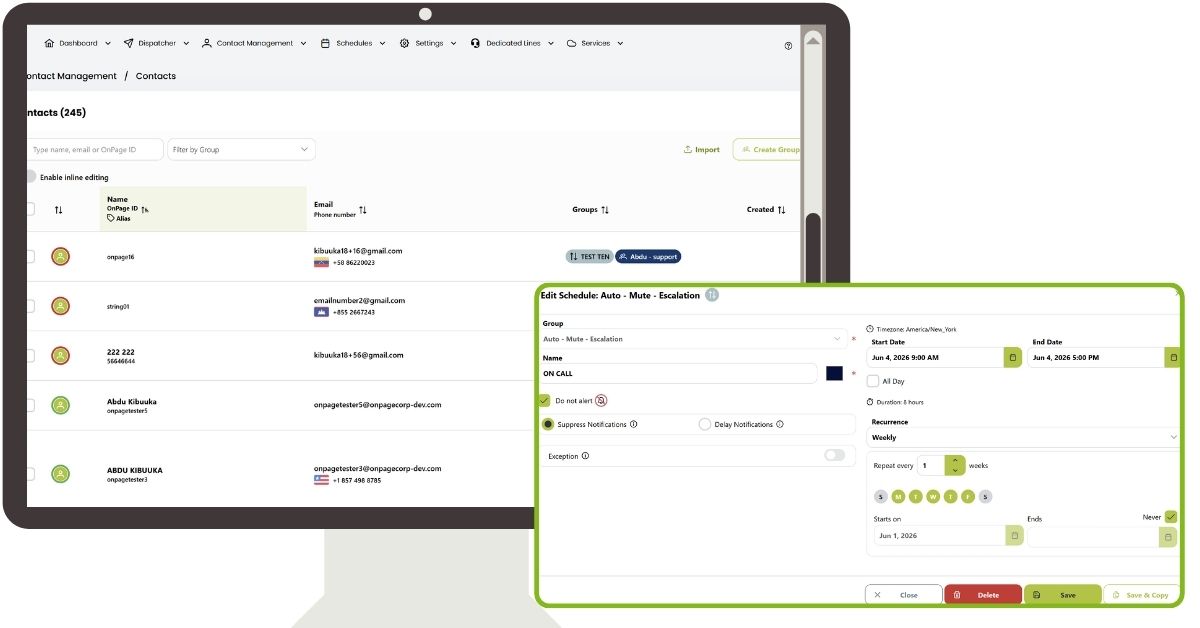
OnPage users with access to the online console have an intuitive, flexible, and easy-to-use web-based on-call scheduler that can handle the most complex employee, team, and group calendar configurations or on-call rotation schedules.
OnPage’s GOLD Package includes the on-call scheduler to simplify the incident management process. Benefits include:
Share on-call responsibility: Plan ahead. Choose who gets notified and send alerts to the right groups of people.
Reduce on-call burnout: Create schedules ensuring everyone gets time off. Get alerts when you want – not by default.
Increase productivity – decrease response time: On-call team members are more likely to beat previous response times after non-disturbed time off. Rested coworkers are more productive and happier producers.
Ease of use: The scheduler was designed to be intuitive and has an Outlook calendar look and feel.
Compatible with different time zones: Time zones are not an issue. The system automatically adjusts to time zone changes. Expand on-call rotations to teams across the country or around the globe in 175 countries and 24 time zones. Create on-call rotation shifts based on local time-zone business hours.
A look at the OnPage on-call scheduler and rotation calendar
Multiple Scheduling Options
Create multiple schedules without limitation to location so every group gets their preferred on-call rotation calendar. Get instant visibility into who’s on-call.
Just like Outlook’s Calendar
OnPage’s on-call scheduling software is designed to feel familiar from day one. With an intuitive calendar interface similar to Outlook Calendar, Mac Mail, and other popular scheduling tools, teams can quickly create on-call rotations, manage shift schedules, and update coverage without extensive training.
Sick days, snowstorms, or vacations. No problem!
Make changes to the scheduler when assignments, objectives, or the weather change.
Get some sleep (undisturbed)
Never be on-call when you are in the middle of something important — unless you want to be. Simply edit your team’s schedule and hit “Do not alert” for team members who are not on duty.
If a critical event emerges when the on-call schedule was left empty, the entire group will be notified. The OnPage scheduler guarantees it!
Competitors’ schedulers start out “Empty.” Unless every single time slot has been manually filled in with a group member’s name, there will be a communications gap and a critical incident may get lost – nowhere to go and no one to assume responsibility. The message “Your server just went down” could be left hanging, along with an entire online business or digital workforce.
The scheduler and escalation
Scheduling features can be added to escalation groups. Escalation orders and members can be scheduled, adding even more flexibility and customization to escalation groups.
Here’s a quick example of how to get started with escalation group scheduling. The example shows how to create a revolving schedule between three on-call recipients. Each recipient is in the first escalation position for one week every three weeks, with the other on-call recipients set as backups to the primary recipient.
Create a new group with the option to name the group, add OnPage IDs, select the escalation interval, and the escalation factor. To change the escalation order, users can drag and drop directly with the three horizontal lines next to the names of individuals in the group.